

Scoreboard API
Introduction
Section titled “Introduction”Scoreboards are a great way to display information to the client. Each player can view exactly one scoreboard, and one scoreboard can be viewed by multiple players.
Scoreboard objects can be retrieved in two ways:
- Via the
ScoreboardManager(which can be retrieved from either theBukkitorServerinterfaces usinggetScoreboardManager()respectively). - A player’s currently shown scoreboard with the
Player#getScoreboard()method.
Scoreboards can be categorized in two ways:
- The main scoreboard (retrieved with
ScoreboardManager#getMainScoreboard()), which is saved across restarts and is the default scoreboard shown to players. - New scoreboards (created with
ScoreboardManager#getNewScoreboard()), which are not saved and only exist for the duration of you either keeping a reference to the object or a player viewing the scoreboard.
Objectives
Section titled “Objectives”To display information, a scoreboard must register an objective. This can be done by using
Scoreboard#registerNewObjective.
This method has the following parameters:
- The name of the objective, which is used for identifying it. You can use the same name in
Scoreboard#getObjectiveto retrieve the same objective. - The criteria. Traditional “Vanilla-style” scoreboards use this to automatically set the score of a scoreboard entry
to match the criteria. When designing a custom scoreboard, you probably want to set this to
Criteria#DUMMY, which has no built-in handling. - The display name of the scoreboard. Can be set to
null, which defaults the display name to the of the objective. This is used when displaying the objective anywhere, like a command response or the sidebar. - OPTIONALLY: The render type, which is either
RenderType#INTEGERorRenderType#HEARTS. Used for when the objective is displayed in the player list or below a player’s name. Defaults toINTEGER.
Display slots
Section titled “Display slots”A scoreboard can have multiple objectives, however, only one objective can be set to a particular display slot at a time. When you try to set the display slot of an objective to one which is already occupied, it will simply override that display slot.
To set the display slot, you can call setDisplaySlot(DisplaySlot)
on the Objective object.
There are three different display slots.
Sidebar display slot
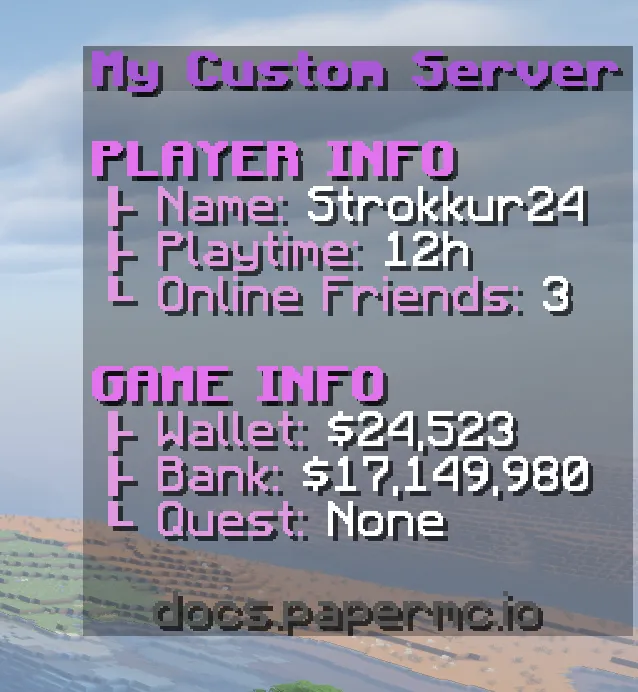
Section titled “Sidebar display slot”The probably most well-known display slot of an objective is the sidebar. That is also what most players generally understand as the “scoreboard”. It shows up on the right-side of a player’s client and consists of a title and up to 15 lines of scores. The display information is the same for all players viewing the same scoreboard instance.
Player list display slot
Section titled “Player list display slot”Objectives with this display slot show up in the player list (sometimes called TAB list) next to the name of the player. In order for a score to be visible, the score name needs to be the same as the player’s name. The score value is what gets displayed. All players have an implicit score value of 0.

Source code
Scoreboard board = ...;Objective obj = board.registerNewObjective(    "playerlist",    Criteria.DUMMY,    (Component) null,    RenderType.HEARTS);obj.setDisplaySlot(DisplaySlot.PLAYER_LIST);
Score score = obj.getScore(player);score.setScore(125);score.numberFormat(NumberFormat.styled(style -> style    .color(TestPlugin.C_PRIMARY)    .shadowColor(ShadowColor.shadowColor(0xAA8F618E))    .decorate(TextDecoration.ITALIC)));
If you set the RenderType of the objective to HEARTS, it will instead display the provided score as a health bar.
This health bar score behaves differently depending on the score value:
Values 0 and below: The score is hidden; instead, only a big space is visible.
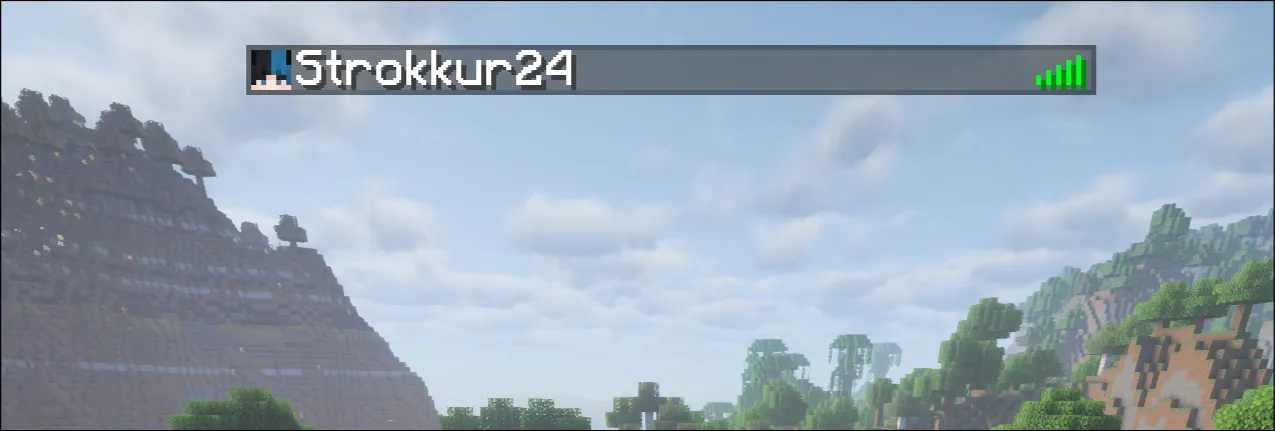
Values 1-20: A regular full health bar is visible.
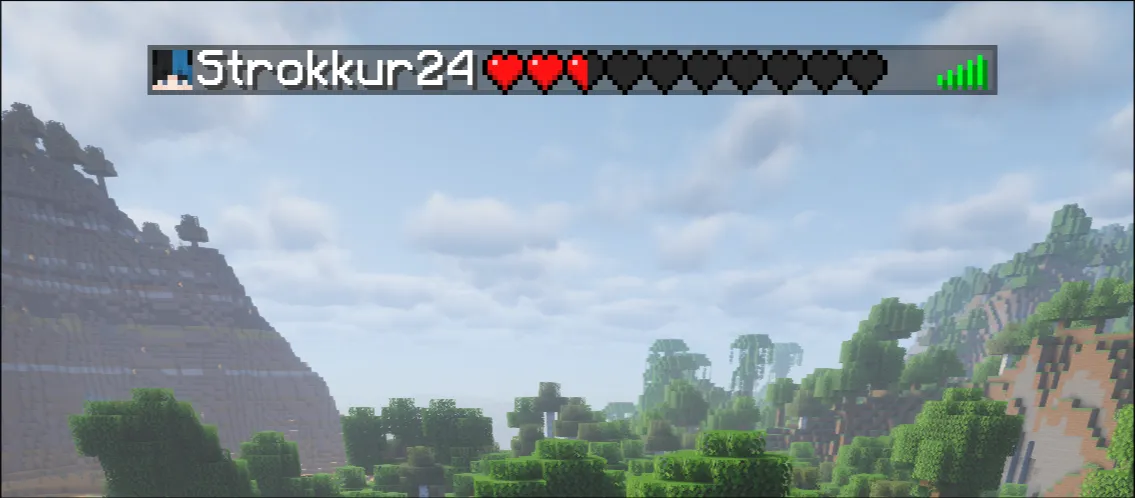
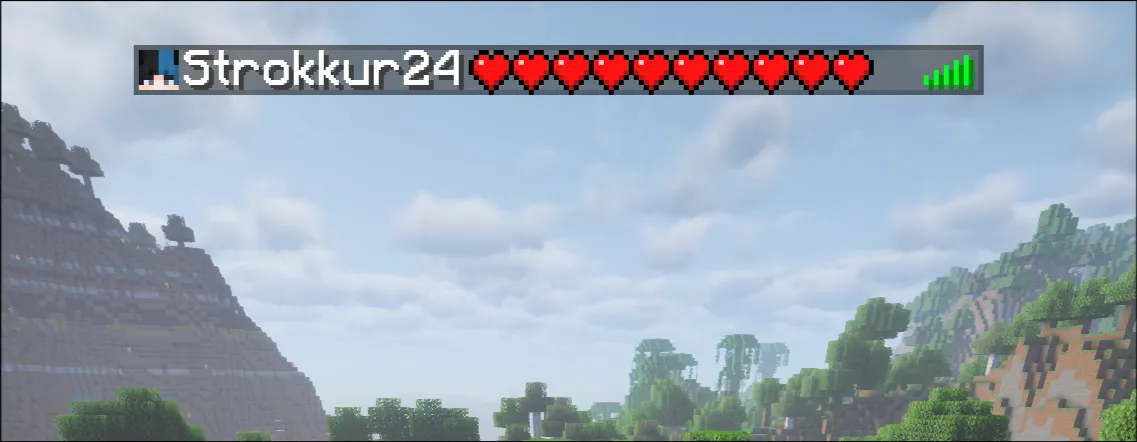
Values 21-43: The regular hearts get appended with “absorption” hearts.
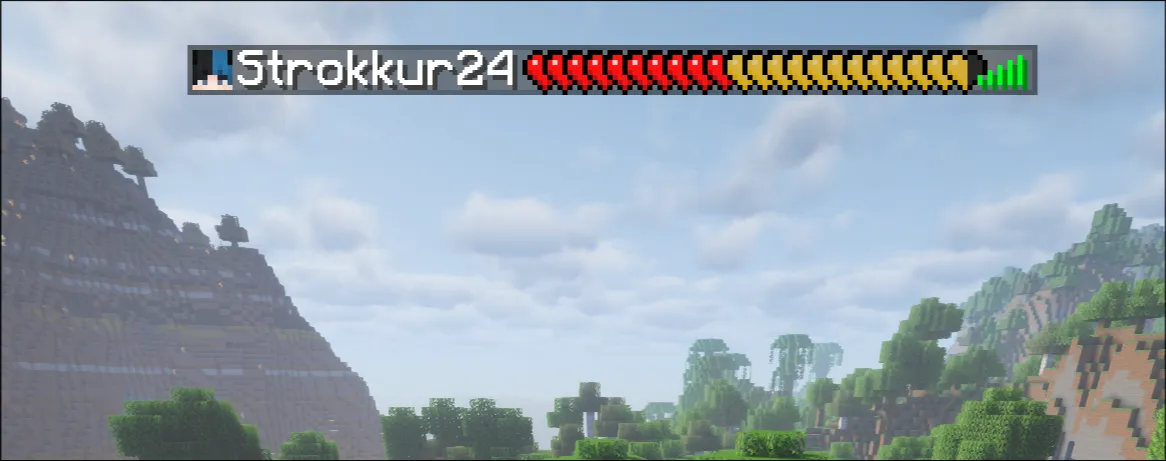
Value 44+: Instead of a health bar, text displaying the health points is visible.
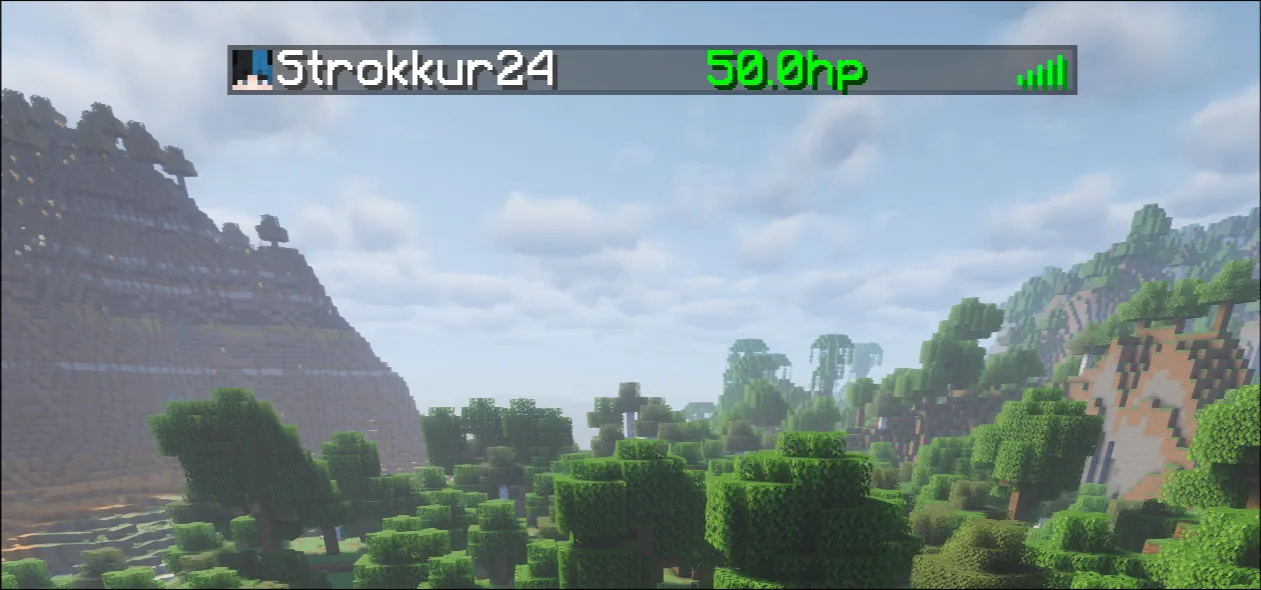
Below name display slot
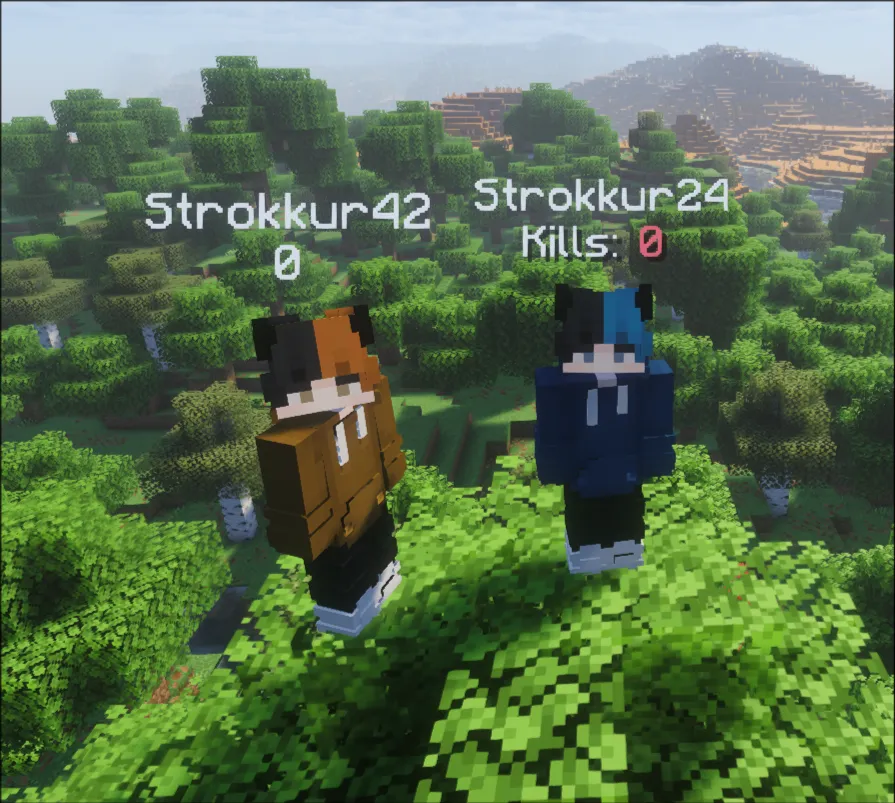
Section titled “Below name display slot”DisplaySlot#BELOW_NAME makes the score of a player render below the player’s
own display name.

Similar to the player list display slot, all players implicitly have a score of 0, if not set. Therefore, if you wish to have custom number formatting applied, you will have to manually set it for every single online player for every single scoreboard you have.
Source code
Player player = ...;Scoreboard board = ...;
Objective obj = board.registerNewObjective(    "below-name",    Criteria.DUMMY,    (Component) null);obj.setDisplaySlot(DisplaySlot.BELOW_NAME);
Score score = obj.getScore(player);score.setScore(0);score.numberFormat(NumberFormat.fixed(plugin.mm("Kills: <red>0")));
Number format
Section titled “Number format”You can define a default number format for an objective. All scores under that objective will inherit the default number format set, however a score’s own number format will override the objective one.
For example, to default to a blank number format, you can do this:
Objective objective = ...;objective.numberFormat(NumberFormat.blank());Scores
Section titled “Scores”You can retrieve a score from an Objective instance using the getScore methods.
Scores are saved using a String identifier. For players, their name is used. For entities,
their UUID is used instead. A Score instance consists of four parts: the score name, displayname,
the score value as an integer, and the optional number format.
For example:
Objective obj = ...;
// The name of the score can be whatever. For sidebars with custom// lines, you usually call the score the same as the line number.Score score = obj.getScore("2");
// Set the score value. A higher value makes it appear higher on the sidebar.score.setScore(2);
// The custom name is what actually gets displayed in the sidebar.score.customName(Component.text("Custom Value", TextColor.color(0xAABB24)));
// Set the number format of this score.score.numberFormat(NumberFormat.fixed(Component.text("25", TextColor.color(0x24FFAA))));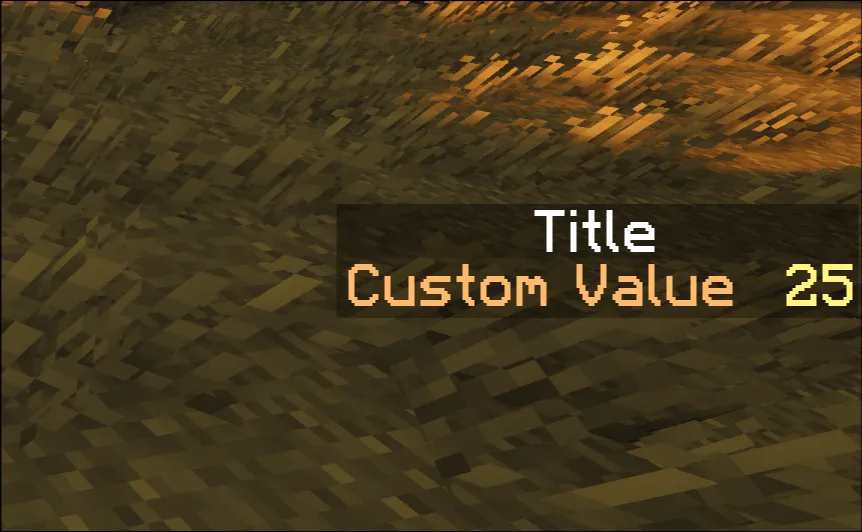
Tutorial: Sidebars done correctly
Section titled “Tutorial: Sidebars done correctly”Sidebar scoreboards are very popular for displaying data. However, one must interface with sidebars in a very specific way to avoid flickering and other oddities.
To do this, you need to keep track of two objectives, where you edit the one not shown, and only when ready, switch the visible one. If you want to do this in your own plugin, it is advised to write a small wrapper to do this. An example is given below:
@NullMarkedpublic class BufferedScoreboard { // Create a new Bukkit scoreboard. public final Scoreboard board = Bukkit.getScoreboardManager().getNewScoreboard();
// We keep track of two objectives, and the currently shown one via the buffer variable. private int buffer = 0; private final Objective first = board.registerNewObjective("first", Criteria.DUMMY, (Component) null); private final Objective second = board.registerNewObjective("second", Criteria.DUMMY, (Component) null);
/// Sets the title of this scoreboard. This is done one both objectives. public void setTitle(Component title) { first.displayName(title); second.displayName(title); }
/// Directly updates both objectives. public void updateObjectives(Consumer<Objective> update) { update.accept(first); update.accept(second); }
/// Updates a score for a specific line. public void updateLine(int line, Consumer<Score> update) { Objective next = buffer == 0 ? second : first;
// The score name is the line value. Score score = next.getScore(Integer.toString(line)); // We subtract the line value so that line 0 is at the top, and line 15 at the bottom. // Minecraft sorts the score lines in a descending order. score.setScore(15 - line); // Update the next score before it is shown. update.accept(score); // Set the next objective's display slot, which makes it be shown // on the client. The previous objective is automatically hidden. next.setDisplaySlot(DisplaySlot.SIDEBAR);
Objective curr = buffer == 0 ? first : second; Score currScore = curr.getScore(Integer.toString(line)); currScore.setScore(15 - line); // Repeat the update on the now hidden score to keep both objectives synced. update.accept(currScore);
buffer = buffer == 0 ? 1 : 0; }}When writing your actual scoreboard, it is strongly advised to do per-line updates instead of re-drawing the entire scoreboard from scratch. A scoreboard typically consists of some parts, that never change, and lines that hold data, which may change frequently. A good convention is to hide the scoreboard updates behind methods, which each simply take in input for the lines that need changing, and doing very selected updates.
For some example for the shown image here, see the preview below.
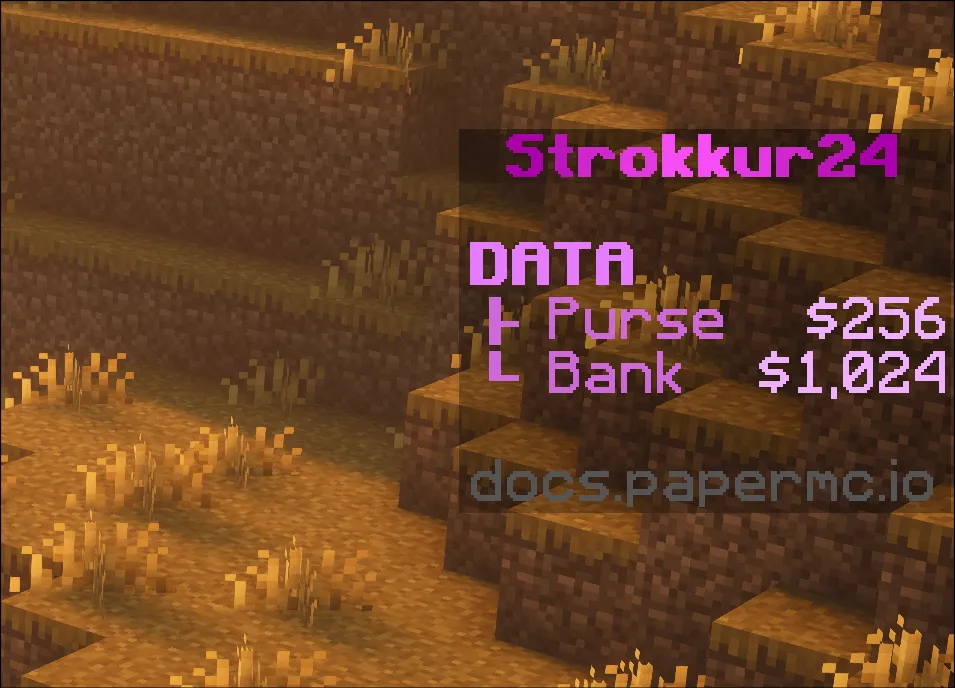
Click to show the code.
@NullMarkedpublic final class ScoreboardManager implements Listener { private static final TextColor SECTION_COLOR = TextColor.color(0xE57CFF); private static final TextColor KEY_COLOR = TextColor.color(0xCE69DB); private static final TextColor VALUE_COLOR = TextColor.color(0xEFAFFF);
private static final java.text.NumberFormat FORMAT = DecimalFormat.getIntegerInstance(Locale.US);
/// A map holding the BufferedScoreboard objects for every player. We can use the Player object /// as a key here, as the entry is removed when the player quits. If you want to keep references /// across player joins, use an UUID key instead. private final Map<Player, BufferedScoreboard> scoreboards = new HashMap<>();
/// Util method to get an existing scoreboard, or to create a new one for a player. private BufferedScoreboard getScoreboard(Player player) { return scoreboards.computeIfAbsent(player, _ -> { BufferedScoreboard scoreboard = new BufferedScoreboard(); // Set the title of the scoreboard. scoreboard.setTitle(MiniMessage.miniMessage().deserialize("<gradient:dark_purple:light_purple:dark_purple><bold><player>", Placeholder.component("player", player.displayName()) )); // show the scoreboard to the player. player.setScoreboard(scoreboard.board); return scoreboard; }); }
/// Initializes the scoreboard. This sets initial values for all lines. You might want to fetch /// some player data before this, if you display player data. public void initScoreboard(Player player) { final BufferedScoreboard scoreboard = getScoreboard(player); // Set the default number format to blank, so it doesn't show the red numbers. scoreboard.updateObjectives(obj -> obj.numberFormat(NumberFormat.blank())); scoreboard.updateLine(0, score -> score.customName(Component.empty())); scoreboard.updateLine(1, score -> score.customName(Component.text("DATA", SECTION_COLOR, TextDecoration.BOLD))); updatePurse(scoreboard, 0); updateBank(scoreboard, 0); scoreboard.updateLine(4, score -> score.customName(Component.empty())); scoreboard.updateLine(5, score -> score.customName(Component.text("docs.papermc.io", NamedTextColor.DARK_GRAY))); }
/// Public method to update the purse value. public void updatePurse(Player player, int value) { updatePurse(getScoreboard(player), value); }
/// Public method to update the bank value. public void updateBank(Player player, int value) { updateBank(getScoreboard(player), value); }
private void updatePurse(BufferedScoreboard scoreboard, int value) { scoreboard.updateLine(2, score -> { score.customName(Component.text("├ Purse", KEY_COLOR)); score.numberFormat(NumberFormat.fixed(Component.text("$" + FORMAT.format(value), VALUE_COLOR))); }); }
private void updateBank(BufferedScoreboard scoreboard, int value) { scoreboard.updateLine(3, score -> { score.customName(Component.text("└ Bank", KEY_COLOR)); score.numberFormat(NumberFormat.fixed(Component.text("$" + FORMAT.format(value), VALUE_COLOR))); }); }
/// Initializes the scoreboard when a player joins. @EventHandler void onPlayerJoin(PlayerJoinEvent event) { initScoreboard(event.getPlayer()); }
/// Removes the scoreboard data when a player quits. @EventHandler void onPlayerQuit(PlayerQuitEvent event) { scoreboards.remove(event.getPlayer()); }}